
Catfood FTP Wizard3.02.0005 - Download
You'll be able to download in few seconds.
Publisher Description
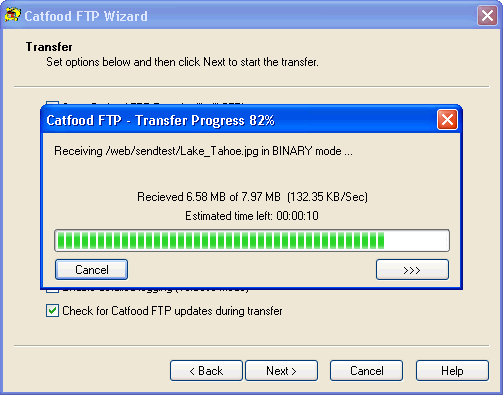
Catfood FTP Wizard offers a simple to use yet powerful interface for transferring files and folders. Features include:
Remote Browsing - remote browsing allows you to navigate to files and folders on an FTP server using the familiar Windows interface. Remote browsing supports accessing files below the login folder (if allowed by the server) and allows new folders to be created.
Automatic Type Selection - Catfood FTP Wizard can automatically detect the type of file being transferred. This allows files to be moved without worrying about setting ASCII or BIN mode on the server - a common cause of problems when uploading web sites.
Archive Mode - Catfood FTP Wizard can be configured to only upload files that have changed since the last transfer. This powerful feature is ideal for updating web sites, performing off-site backups and limiting the amount of time needed to perform otherwise lengthy updates. Catfood FTP Wizard can also control the file extension types that are transferred and force ASCII or BIN mode transfers.
Chmod support - for servers supporting the SITE CHMOD command Catfood FTP Wizard allows UNIX file permissions to be set automatically. The chmod interface allows permissions to be set directly in octal or by manipulating each permission directly.
Transfer scripting - Catfood FTP Wizard allows any command to be sent to the server either before, during or after transfer. Script commands can be called for each file in the transfer and wildcard expansion allows the remote file to be included in the command. This feature allows Catfood FTP Wizard to be used with site specific commands, or to perform common tasks such as retrieving a directory listing after each transfer.
This release also includes version 3.00 of our popular command line version of Catfood FTP. The command line version remains free of charge in this release, although registration is still required.
About Catfood FTP Wizard
This FTP Clients program is available in English. It was last updated on 29 September, 2026. Catfood FTP Wizard is compatible with the following operating systems: Windows.
The company that develops Catfood FTP Wizard is Catfood Software. The latest version released by its developer is 3.02.0005.
The download we have available for Catfood FTP Wizard has a file size of 4.2 MB. Just click the green Download button above to start the downloading process. The program is listed on our website since 2008-05-11 and was downloaded 0 times. We have already checked if the download link is safe, however for your own protection we recommend that you scan the downloaded software with your antivirus. Your antivirus may detect the Catfood FTP Wizard as malware if the download link is broken.
How to install Catfood FTP Wizard on your Windows device:
- Click on the Download button on our website. This will start the download from the website of the developer.
- Once the Catfood FTP Wizard is downloaded click on it to start the setup process (assuming you are on a desktop computer).
- When the installation is finished you should be able to see and run the program.
Program Details
System requirements
Download information
Pricing
Version History
version 3.02.0005
posted on 2008-05-11
Purchase URL
version 3.01.0003
posted on 2003-02-28
Disclaimer
External Download
We do not host Catfood FTP Wizard on our servers. We did not scan it for viruses, adware, spyware or other type of malware. This app is hosted by the software publisher and passed their terms and conditions to be listed there. We recommend caution when installing it.
The external download link for Catfood FTP Wizard is provided to you by apps112.com without any warranties, representations or guarantees of any kind, so access it at your own risk.
If you have questions regarding this particular app contact the publisher directly. For questions about the functionalities of apps112.com contact us.
